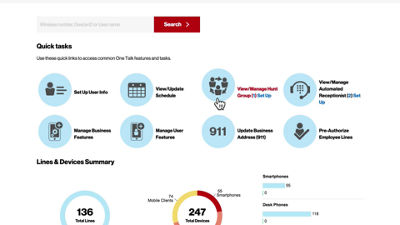
This video will show you how to set up the Hunt Group feature, which allows you to direct incoming calls to a group of lines.
On the One Talk overview page, click View/Manage Hunt Group from Quick Tasks.
The Hunt Group feature requires a dedicated line. If you currently do not have a Hunt Group number you can purchase one by clicking Purchase Hunt Group.
Click the line to manage its settings. Create a name for your Hunt Group, as well as a Calling ID Name that will display when a call is forwarded to a member of the group. Select the appropriate time zone and click Select Calling Sequence.
Choose from one of four available call sequences. Click on any sequence to read a description below.
To add or remove lines from the Hunt Group, just drag and drop or use the arrow buttons.
Scroll down for additional settings, including the number of rings before advancing to the next number, and time limits for how long a call stays in the Hunt before forwarding to a designated number. It is recommended that you enable Advance to Next Number when Busy (No Call Waiting).
Click Submit to save your changes.
If you need additional assistance please refer to the One Talk Resources Support page.