This video will show you how to add One Talk to a wireless device on a corporate liable line.
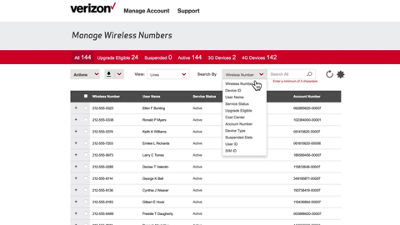
From the One Talk overview page, click Add to an Existing Line. This will bring you to a list of all your corporate liable lines.
Click the Search By dropdown menu to filter results.
Select a line with a One Talk-compatible device, then click Actions and Add or Remove Features under the Plan and Features section.
Scroll down to the One Talk section to select the individual features you'd like to add.
Scroll to the bottom of the page and click Continue.
Confirm that all your information is correct, then click Submit to finish.
If you need additional assistance, please refer to the One Talk Resources Support page.